How to run a basic scan with NMAP
An introduction to TCP connections, ports, and network service inventories with Nmap.
TL;DR Too lazy to read? Click here.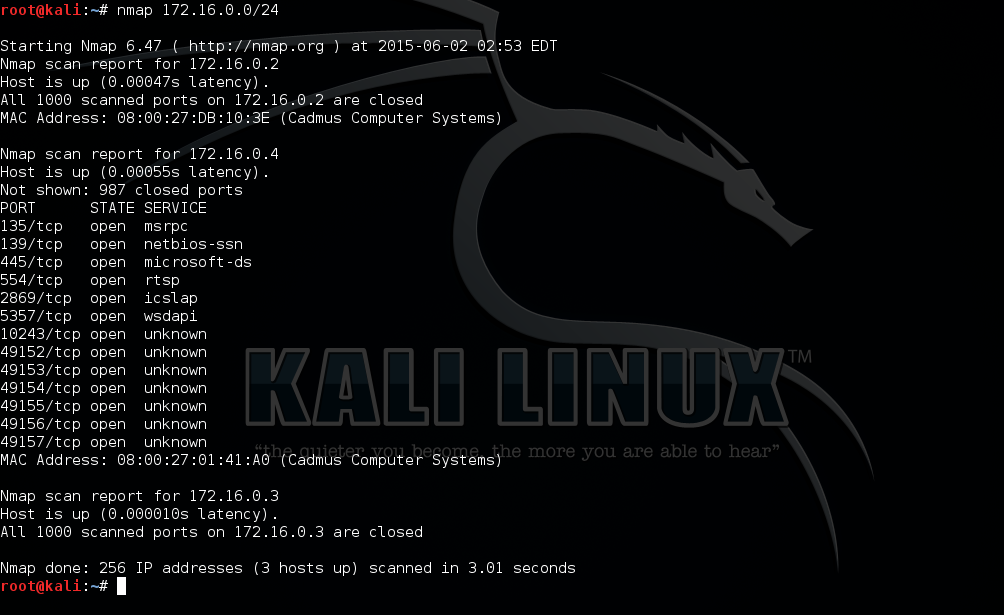
NMAP is a scan based on TCP Connect, that is, a TCP connection. When we use the scan, it attempts to establish a connection with the target machine following the three-way TCP protocol. When we use a TCP connection, our computer makes this three-way connection, which we call a handshake. If computer 1 wants to talk to computer 2, it sends a SYN packet to computer 2, which responds with a SYN/ACK packet. Computer 1 then receives the SYN/ACK packet and responds with ACK, thus establishing the connection between the computers.
With this in mind, NMAP sends a SYN packet and receives a SYN/ACK packet from the target, and the connection is established with an ACK packet. Based on this information, it can check which ports are open.
Example:
nmap -sT -p- 192.168.0.1In the command above, -sT means that we will use a scan based on a TCP connection, and -p- means that we will scan all ports. We can scan a specific port, which is recommended, since it would generate less traffic on the network. So, if we wanted to scan port 80, we would replace -p- with -p80.
Example:
nmap -sT -p80 192.168.0.1If we need to scan several IPs, we can separate them with commas or use a hyphen to scan a range of IPs.
Example:
# Sintaxe abaixo escaneia do 192.168.0.1 até 192.168.0.253
nmap -sT -p80 192.168.0.1-253The scan will return something like:
root@root:/home# nmap -sT -p- 192.168.0.13
Starting Nmap 7.60 ( http://nmap.org ) at 2020-02-26 19:56 BRST
mass_dns: warning: Unable to determine any DNS servers. Reverse DNS is disabled. Try using --system-dns or specify valid servers with --dns-servers
Nmap scan report for 192.168.0.13
Host is up (0.00066s latency).
Not shown: 65528 closed ports
PORT STATE SERVICE
22/tcp open ssh
80/tcp open http
111/tcp open rpcbind
139/tcp open netbios-ssn
445/tcp open microsoft-ds
3790/tcp open quickbooksrds
53668/tcp open unknown
Nmap done 1 IP address ( 1 host up ) scanned in 3.29 secondsWe can see that when we scan the machine, we get several services with their open ports identified, and these are the ports we could attack in the future.